Hosting Options
Choose between Virbe-hosted and Azure-hosted deployments. This is a one-time infrastructure decision made before or during onboarding.
Virbe can run in two environments: hosted by Virbe on its own cloud infrastructure, or deployed on your organization's Azure subscription. This is a setup decision – once made, it doesn't affect day-to-day use of the platform.
Virbe-Hosted
The default path. Virbe manages all infrastructure – servers, scaling, uptime, and updates. You log in, create a Dashboard, and start building.
Good for: Teams that want to move quickly without managing cloud resources, and organizations without strict data residency requirements.
- No infrastructure setup required
- Engine credentials (STT, TTS) may be pre-provisioned
- Data is stored on Virbe's cloud
See Virbe-Hosted Launch for setup steps.
Azure-Hosted (Self-Hosted)
You deploy the Virbe platform on your own Azure subscription. You own the infrastructure, and the data.
Good for: Organizations in regulated industries, those with data residency requirements, or those that want to integrate Virbe into an existing Azure environment.
- Requires an Azure subscription and initial infrastructure setup
- Full control over data location and retention
- All engine credentials must be configured by you – nothing is pre-provisioned
See Azure-Hosted Deployment for setup steps.
Comparison
| Virbe-Hosted | Azure-Hosted | |
|---|---|---|
| Setup effort | Minimal | Significant (Azure resources required) |
| Infrastructure management | Virbe | You |
| Data residency control | ❌ | ✅ |
| Pre-provisioned engines | ✅ (may vary by plan) | ❌ |
| Custom Azure integrations | Limited | Full |
Dashboard Upgrades
The Virbe platform is versioned. You can check which version your Dashboard is currently running – and what each release changed – under Releases → Changelog in the Dashboard's top bar.
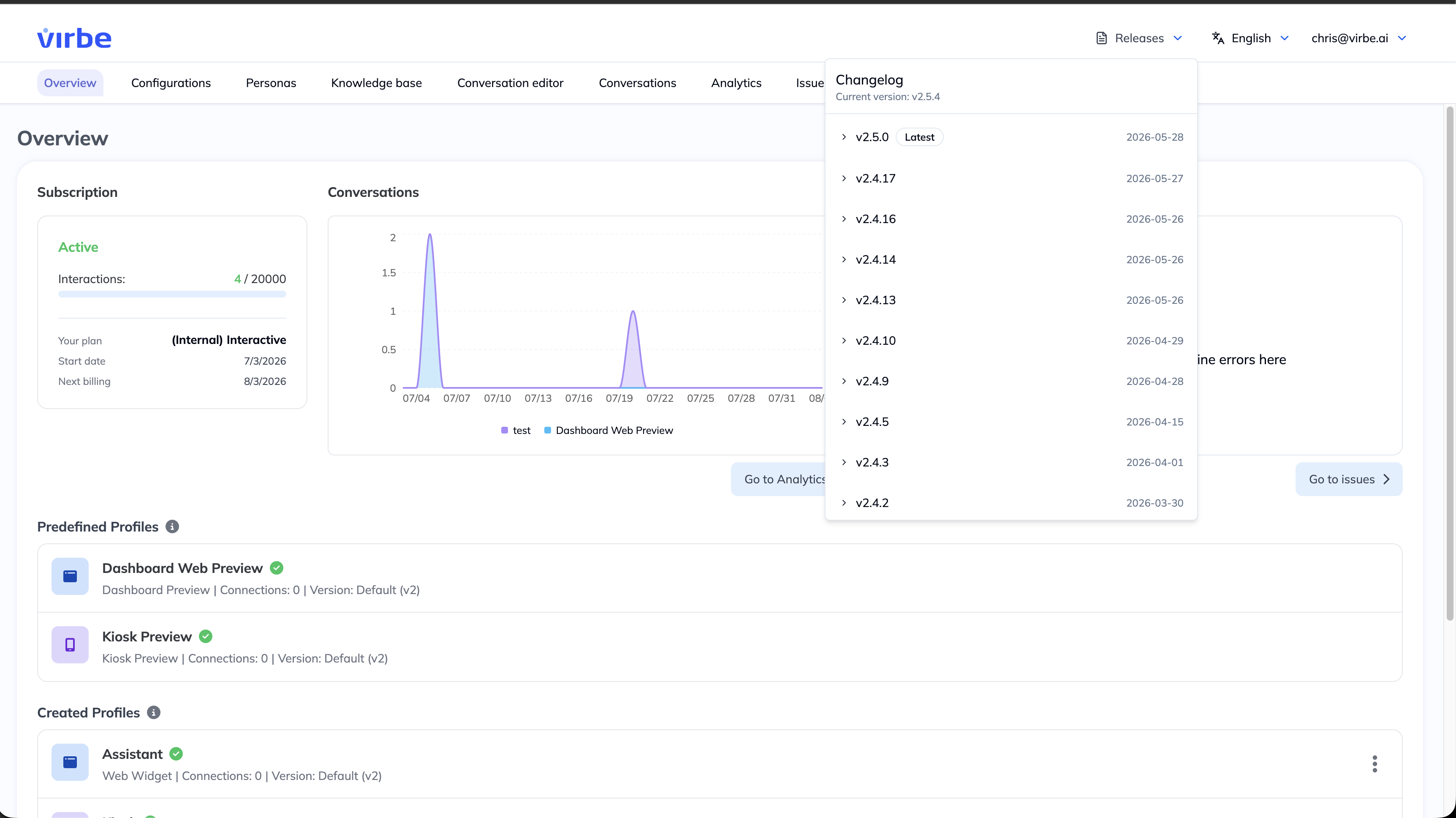
Upgrades of your Dashboard can happen in two ways:
- Triggered by you – when a new version is available, you can trigger the upgrade of your Dashboard yourself.
- Performed by Virbe on request – under an Enterprise agreement, you can instead request that the Virbe team performs the upgrade for you – for example within an agreed maintenance window, so the rollout fits your organisation's change-control process.
Before upgrading a production Dashboard, review the changelog for the target version and test your critical conversation flows afterwards – see the version management and change-control guidance elsewhere in this documentation.
The hosting environment does not affect the features available in the Conversation Editor, Personas, Knowledge Base, or any other part of the Dashboard. Both options give you access to the full platform, however different approach towards engine configurations is required.