Conversational Engines
Connect your virtual being to external conversational AI platforms and NLU engines to power intent recognition and response generation.
Connecting an External Engine
Instead of relying solely on Virbe's built-in pipeline, you can integrate with third-party platforms like DifyAI, OpenAI Assistants, Dialogflow, or a custom HTTP endpoint – whichever already powers your existing NLU or dialogue management setup.
Conversational Engines are used via the Call Conv AI node in the Conversation Editor, which hands off a user message to the configured engine and returns the response.
Supported Engines
| Engine | Type |
|---|---|
| DifyAI | LLM-based agent platform |
| OpenAI Assistant | OpenAI Assistants API (with threads) |
| Custom Endpoint | Any HTTP-based conversational API |
| Dialogflow | Google Dialogflow ES / CX (intent- and flow-based NLU) |
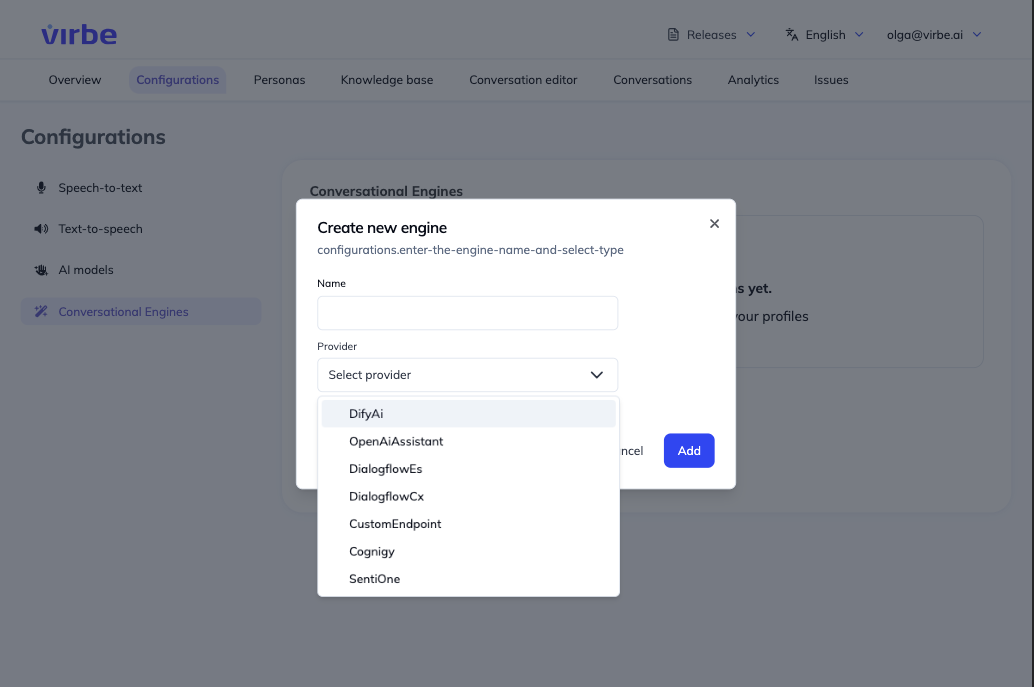
Managing Conversational Engines
The Conversational Engines page lists all configured engines. Each entry shows the engine name and provider type.
Click the three-dot menu (⋮) on any engine to Edit, Set as default, or Delete it.
Adding a New Engine
- Click + Add engine
- Enter a Name for this configuration (e.g., "DifyAI Production Agent")
- Select a Provider from the dropdown
- Click Add – the configuration detail view opens
- Enter the required credentials for the selected provider
Provider Guides
Using Conversational Engines in Flows
Once configured, use the Call Conv AI node in a Conversational Flow to send user input to the engine. The node returns the engine's response text, which can then be delivered to the user via a Text or LLM Response node, or used for further routing logic.
Conversational Engines are best suited for scenarios where you have an existing NLU platform or a pre-built agent that you want to surface through a Virbe virtual being, without rebuilding the dialogue logic from scratch.