Speech-to-Text
Configure speech recognition engines to convert user voice input into text for processing by your virtual being.
Speech-to-Text (STT) engines convert spoken user input into text so the virtual being can understand and respond. At least one STT engine must be configured and set as default for voice interaction to work.
Supported Providers
| Provider | Notes |
|---|---|
| Google Speech | Google Cloud Speech-to-Text; excellent multilingual support |
| Azure Cognitive | Microsoft Azure Speech service; strong enterprise support |
| NVIDIA Riva | GPU-accelerated on-premises STT; for self-hosted deployments |
| ElevenLabs | Supports ElevenLabs-based STT capabilities |
Managing STT Engines
The Speech-to-Text page lists all configured engines. Each entry shows the provider name and whether it is set as the default.
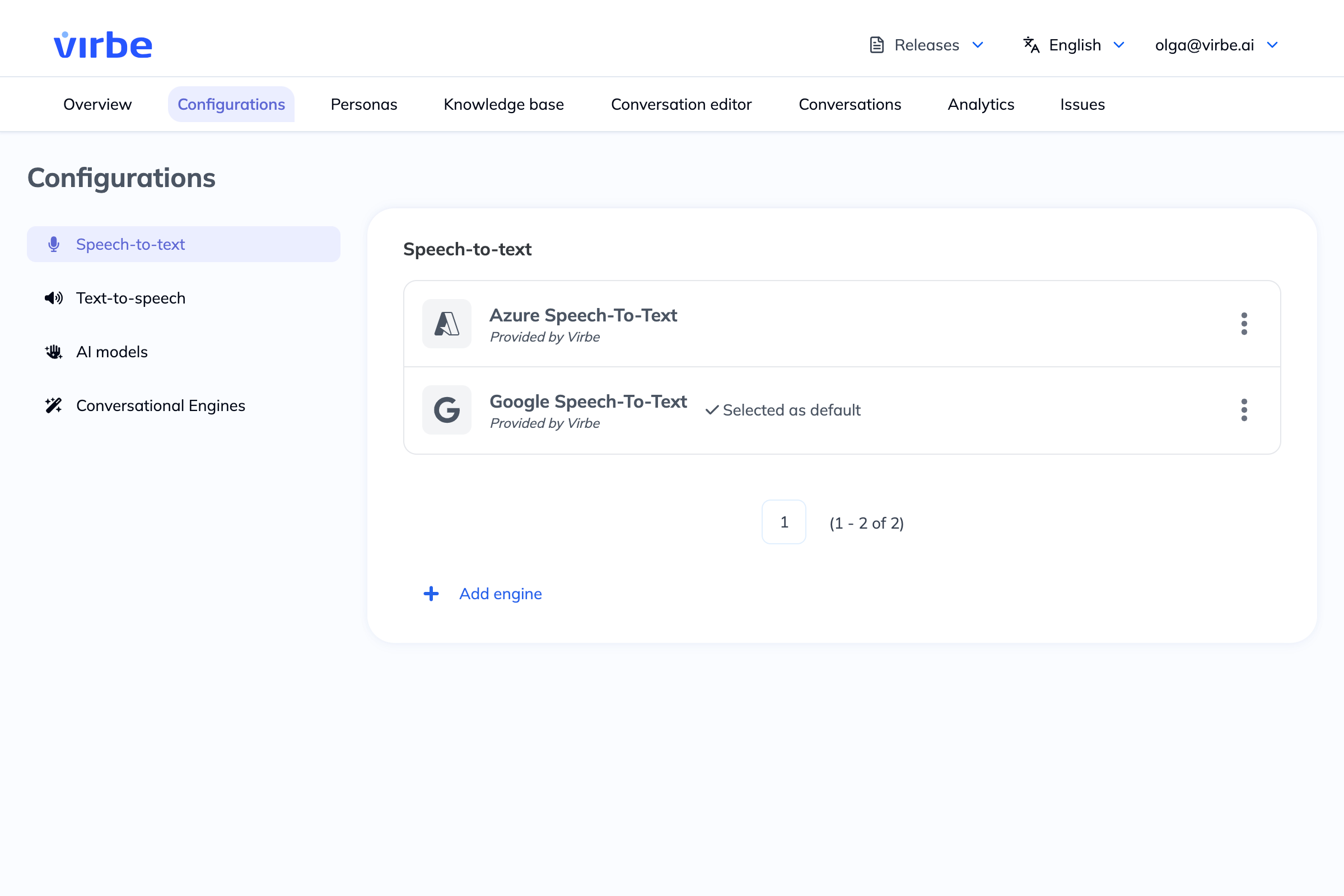
To manage an engine, click the three-dot menu (⋮) and choose:
- Edit – Update credentials or settings
- Set as default – Make this the primary STT engine
- Delete – Remove the configuration
Adding a New STT Engine
- Click + Add engine
- Enter a Name for this configuration (for your reference, e.g., "Azure STT Production")
- Select a Provider from the dropdown
- Click Add – the configuration detail view opens
- Fill in the Credentials and Configuration tabs, then save
Azure Speech-to-Text
Credentials
| Field | Description |
|---|---|
| Secret key | Your Azure Speech resource key (found in the Azure portal under your Speech resource → Keys and Endpoint) |
| Region | The Azure region where your Speech resource is hosted (e.g., westeurope, eastus) |
| Endpoint ID (optional) | Custom endpoint ID if you are using a custom Speech model |
Configuration
| Option | Description |
|---|---|
| Enable profanity filter | When on, Azure will mask profanity in recognized text |
| Enable automatic punctuation | When on, Azure adds punctuation to recognized text automatically |
Google Speech
Credentials
| Field | Description |
|---|---|
| Service account key | A JSON service account key file from Google Cloud with Speech-to-Text API access |
| Project ID | Your Google Cloud project ID |
Multilingual STT
To support multiple languages, ensure your STT engine supports the languages you need. Azure Cognitive and Google Speech both offer broad multilingual support. When using the On Language Change handler and Detect Text Language node, the STT engine will recognize input in whatever language the virtual being has switched to.
Check the language support documentation for your chosen STT provider before configuring multilingual deployments. Some languages are only available in specific regions or require custom endpoints.
Speech recognition accuracy and limitations
Speech-to-Text (STT) accuracy is affected by factors outside the Virbe platform's control. The following conditions can reduce transcription quality and lead to unexpected virtual being responses:
Ambient noise – Background noise (crowds, music, machinery) degrades transcription accuracy significantly. Most STT engines are optimised for relatively quiet environments.
Microphone quality – Consumer-grade or built-in microphones produce lower-quality audio input than directional or noise-cancelling microphones designed for speech capture.
Microphone placement – Distance from speaker, room acoustics, and echo can degrade input quality. Follow hardware setup guidelines for microphone positioning.
Speaker accent – All STT models perform differently across accents. Test with speakers representative of your actual user base before go-live.
Language and dialect – STT accuracy varies by language and dialect. Check the provider's documented accuracy figures for the specific language/locale you are deploying.
Speaking pace and clarity – Very fast speech, heavy mumbling, or unclear articulation reduces accuracy regardless of hardware quality. |
Non-speech audio – Coughing, laughter, background conversations, and other non-speech sounds may be transcribed as words, causing unexpected flow behaviour.
Consequence of environment non-compliance: If the kiosk or deployment environment does not meet the hardware and acoustic requirements described in the hardware setup documentation, STT and TTS performance cannot be guaranteed. Degraded speech recognition in non-compliant environments is not a platform defect.
Similarly, Text-to-Speech (TTS) output quality depends on the configured provider and the audio output hardware. Distortion, latency, or intelligibility issues caused by low-quality speakers or audio configurations are outside the platform's responsibility.