Text-to-Speech
Configure text-to-speech engines to give your virtual being a voice – converting text responses to natural-sounding spoken audio.
Text-to-Speech (TTS) engines convert the virtual being's text responses into spoken audio. The voice the user hears is determined by the TTS engine and voice selected in the Persona configuration for each language.
Supported Providers
| Provider | Notes |
|---|---|
| Azure Text-to-Speech | Microsoft Azure Cognitive Services; wide voice selection, multilingual support |
| ElevenLabs | High-quality, natural-sounding voices; excellent for expressive virtual beings |
| NVIDIA Riva | GPU-accelerated on-premises TTS; for self-hosted deployments |
Need a different TTS engine? Custom engines can also be supported – contact the Virbe Sales team to discuss integrating the provider your deployment requires.
Managing TTS Engines
The Text-to-Speech page lists all configured engines. The engine marked Selected as default is used when no specific engine is selected in the Persona's voice settings.
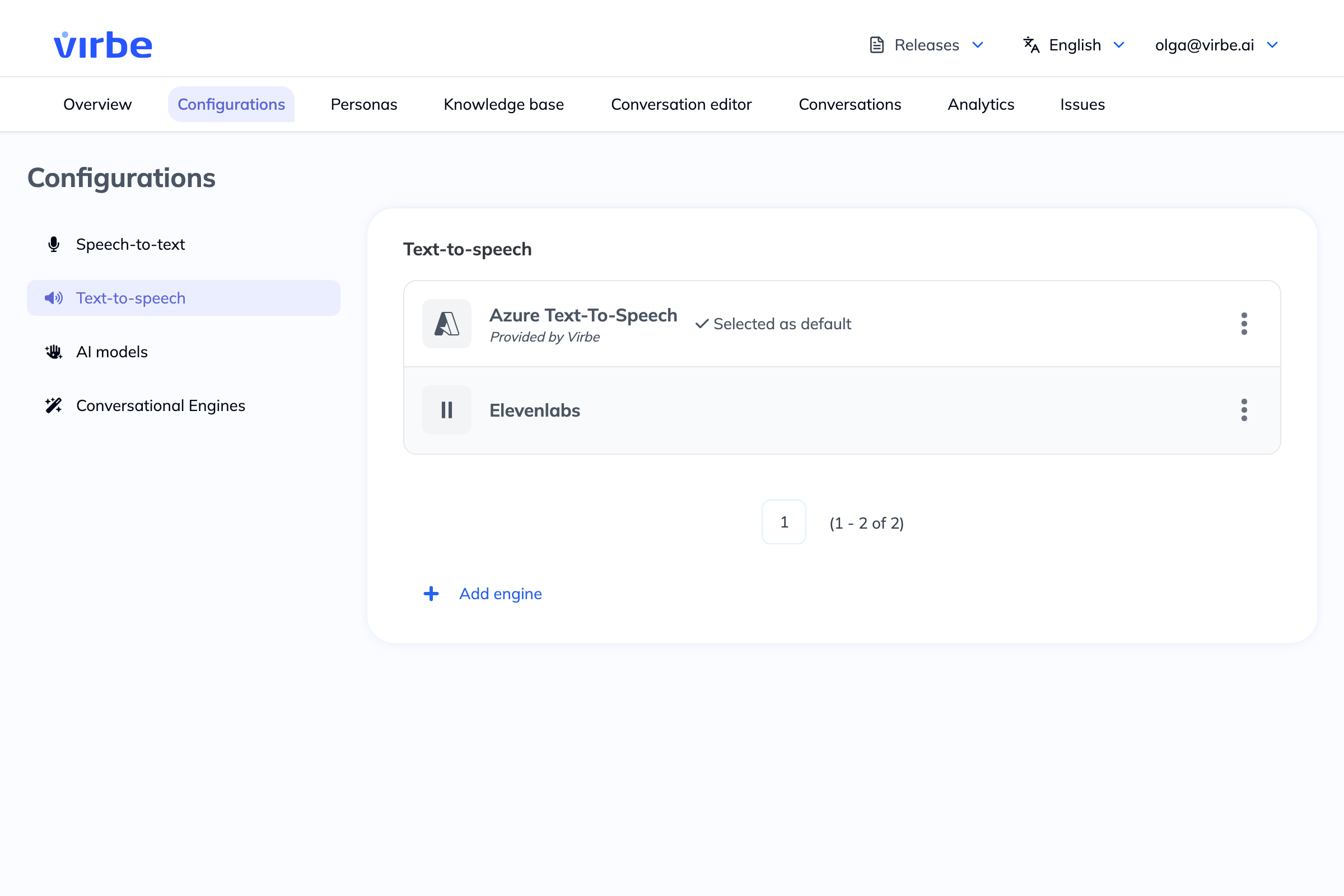
Click the three-dot menu (⋮) on any engine to Edit, Set as default, or Delete it.
Adding a New TTS Engine
- Click + Add engine
- Enter a Name for this configuration
- Select a Provider
- Click Add – the configuration detail view opens
- Complete the Credentials and Configuration tabs
Azure Text-to-Speech
Credentials
| Field | Description |
|---|---|
| Secret key | Your Azure Speech resource key |
| Region | The Azure region of your Speech resource (e.g., westeurope) |
| Endpoint ID (optional) | Custom endpoint ID for custom neural voices |
Configuration
| Option | Description |
|---|---|
| Use SSML | When on, the virtual being's text is interpreted as SSML markup, giving you control over prosody, pauses, emphasis, and phoneme pronunciation |
| Do not read emoticons | When on, Azure will skip emoticons/emoji in the text rather than reading them aloud (e.g., "smiley face") |
ElevenLabs
Credentials
| Field | Description |
|---|---|
| API key | Your ElevenLabs API key from the ElevenLabs dashboard |
ElevenLabs voices are selected per language in the Persona voice settings. ElevenLabs offers a library of preset voices as well as cloned/custom voices.
Voice Selection
TTS engines provide the engine capability – the specific voice used is configured in Personas → Voices for each language. When adding a voice in the Persona, you select:
- The language
- The TTS engine (from your configured engines)
- The specific voice offered by that engine
It is recommended to select a multilingual voice as the default where possible, and add per-language voices as needed for better pronunciation and naturalness.