AI Models
Configure Large Language Models (LLMs) for powering Tool Agent and LLM Response nodes, and embedding models for Knowledge Base retrieval.
AI Models are the language model configurations that power your virtual being's intelligence – used by the Tool Agent and LLM Response nodes for generating responses, and by the Knowledge Base for embedding documents and performing semantic search (RAG).
Supported Providers
| Provider | Notes |
|---|---|
| OpenAI | GPT-4o, GPT-4o mini, and other OpenAI models; also used for embeddings |
| Azure OpenAI | OpenAI models deployed on Azure infrastructure; useful for data residency requirements |
| Anthropic | Claude models for response generation |
| Google Gemini | Gemini models (Gemini 1.5 Flash, Gemini 1.5 Pro, etc.) |
Each provider you configure is a separate data processing relationship – you connect it using your own API credentials, so data sent to that provider is processed under your agreement with them, not Virbe's. When a conversation turn reaches a Tool Agent or LLM Response node, Virbe sends the user's message, conversation history, and your system instructions to that provider for processing. Review and accept each provider's terms of service, data processing agreement, and privacy policy before using them in a production deployment. For regulated industries or EU data residency requirements, Azure OpenAI offers enterprise data processing terms under the Microsoft Products and Services DPA, EU regional deployment and EU Data Zone options, and does not use your prompts or completions to train models. See Data and Privacy for the full picture of how conversation data flows.
Under a separate Enterprise agreement, Virbe can instead provision and supply the AI provider credentials and act as an intermediary (proxy) between your deployment and the provider. In that model, responsibility for the AI services is regulated in the Enterprise agreement on a back-to-back basis – Virbe passes the underlying provider's data processing and service commitments through to you.
Custom LLM deployments are also possible under an Enterprise agreement – if you need a provider or model deployment not listed above, contact the Virbe Sales team to discuss your requirements.
Managing AI Models
The AI Models page lists all configured models. The one marked Selected as default is used by nodes that don't specify a model explicitly.
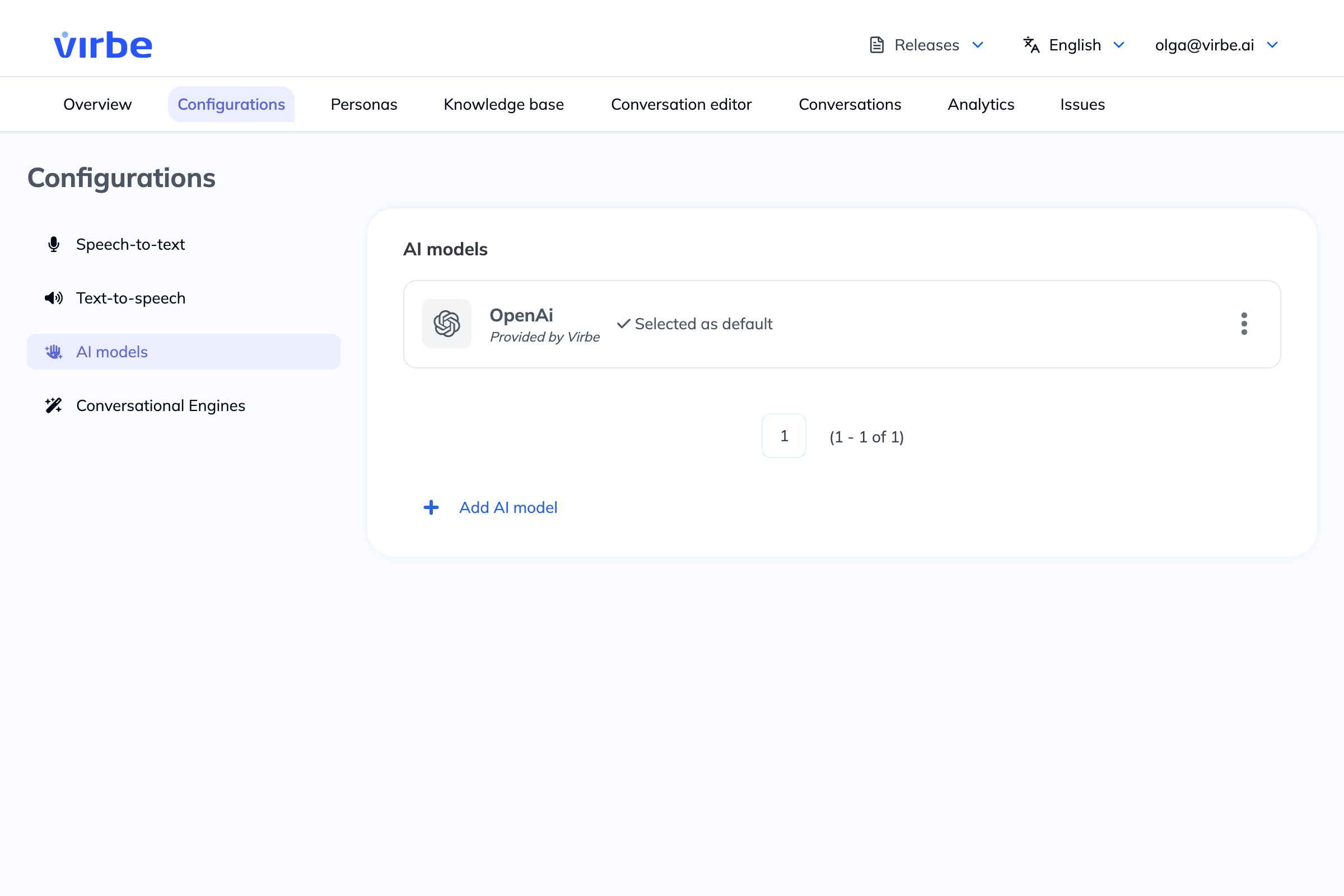
Click the three-dot menu (⋮) on any model to Edit, Set as default, or Delete it.
Adding a New AI Model
- Click + Add AI model
- Enter a Name for this configuration (e.g., "OpenAI GPT-4o Production")
- Select a Provider
- Click Add – the configuration detail view opens
- Complete the Credentials and Configuration tabs
OpenAI
Credentials
| Field | Description |
|---|---|
| API key | Your OpenAI API key |
| Base URL | API base URL (default: https://api.openai.com/v1) – only change this for custom or proxy endpoints |
Configuration
| Field | Description |
|---|---|
| defaultLlmModel | The model to use for response generation (e.g., gpt-4o-mini, gpt-4o) |
| defaultEmbeddingModel | The model used to generate Knowledge Base embeddings (e.g., text-embedding-3-small) |
| removeStopWords | When on, common stop words are removed from search queries before embedding (can improve retrieval precision; availability may depend on the model) |
| maxTokens | Maximum number of tokens per LLM response (default: 250). Increase for longer, more detailed responses; decrease to keep responses concise. |
Azure OpenAI
Configuration is the same as OpenAI, with the addition of:
| Field | Description |
|---|---|
| API key | Your Azure OpenAI resource key |
| Base URL | Your Azure OpenAI endpoint URL (e.g., https://your-resource.openai.azure.com/) |
| API version | Azure OpenAI API version (e.g., 2024-02-15-preview) |
| Deployment name | The name of your deployed model in Azure OpenAI Studio |
Google Gemini
Google Gemini models are available for response generation in Tool Agent and LLM Response nodes.
Google Gemini is available for response generation only – it cannot be used as an embedding model for the Knowledge Base. If you need Knowledge Base retrieval (RAG), configure an OpenAI or Azure OpenAI model to handle embeddings.
Credentials
| Field | Description |
|---|---|
| API key | Your Google AI Studio API key (for Gemini API access). Create one at aistudio.google.com |
| Base URL | API base URL – leave at the default unless you are routing through a proxy |
Configuration
| Field | Description |
|---|---|
| defaultLlmModel | The Gemini model to use (e.g., gemini-1.5-flash, gemini-1.5-pro, gemini-2.0-flash) |
| maxTokens | Maximum number of tokens per LLM response (default: 250) |
Choosing a Gemini Model
| Model | Characteristics |
|---|---|
gemini-2.0-flash | Fast and cost-efficient; good for high-volume deployments |
gemini-1.5-flash | Balanced speed and capability for most use cases |
gemini-1.5-pro | More capable for complex reasoning; higher latency and cost |
Model Selection in Nodes
When configuring a Tool Agent or LLM Response node, you can select which AI model configuration to use via the Select model dropdown. This lets you use different models for different scenarios – a fast, cost-efficient model for simple Q&A and a more capable model for complex reasoning tasks.
Knowledge Base Embeddings
The embedding model configured here is used by the Knowledge Base to:
- Generate vector embeddings for every document chunk when content is added
- Generate embeddings for user queries at runtime during RAG retrieval
If you change the embedding model after content has already been added to the Knowledge Base, you will need to re-embed your documents to ensure consistency.
The maxTokens setting caps the length of each individual LLM response, not the total conversation. If your virtual being's responses feel cut off, increase this value. Keep in mind that higher maxTokens values increase cost and latency per response.