Check Variable
The Check Variable node reads a variable's current value and routes the conversation based on what it finds.
The Check Variable node reads a user or conversation variable and branches the flow based on its current value. Use it to gate logic behind variable conditions – for example, only proceed to a flow if GDPR consent has been given, or take different paths depending on a user's stored preference.
Available in: Handler, Flows, and Automations.
Configuration
Variable
Select which variable to check from the dropdown. Only variables defined in the Variables panel are listed.
Conditions
Each case evaluates one or more conditions against the selected variable:
| Condition | Requires a Value? |
|---|---|
| Exists | No |
| Does not exist | No |
| Equals | Yes |
| Does not equal | Yes |
| Contains | Yes |
| Starts with | Yes |
| Ends with | Yes |
The Value field only appears for conditions that need something to compare against – Exists and Does not exist just check whether the variable has been set, no value needed.
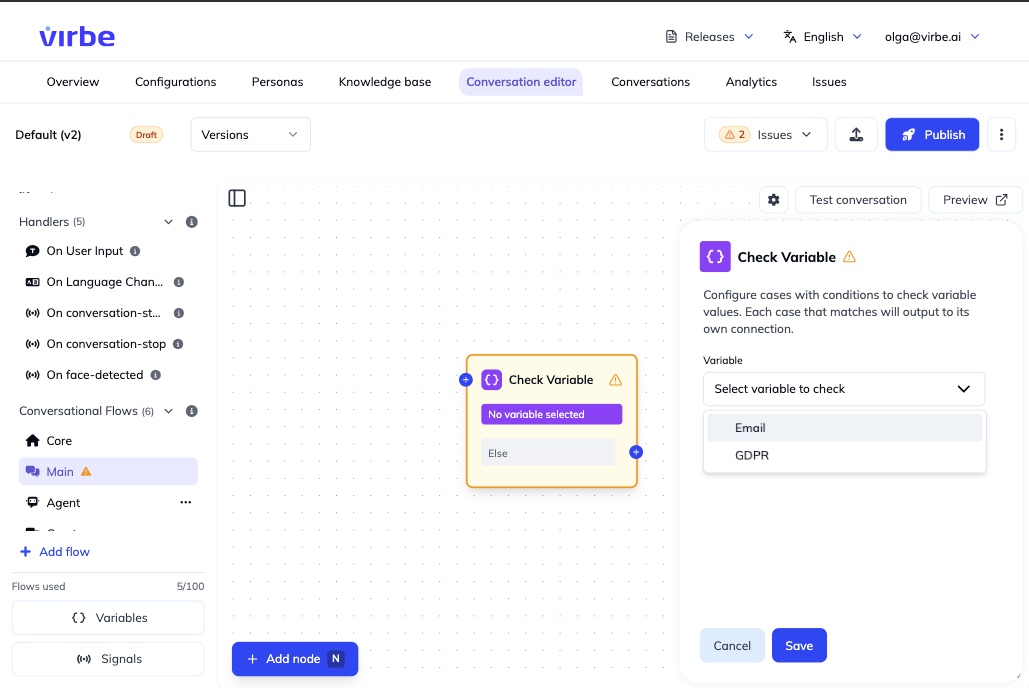
Click Add condition to combine multiple conditions within the same case, or Add case to add another case – each case gets its own output port. Connect each output port to the appropriate next node for that case.
Common Patterns
GDPR Gate
Check Variable ({{variable.gdpr}})
    ├── Equals "accepted" ──► Continue Processing (or Go to Flow: main)
    └── Does not exist ──► Go to Flow (GDPR consent)
Language-Based Routing
Check Variable ({{variable.language}})
    ├── Equals "en" ──► Go to Flow (EnglishContent)
    ├── Equals "pl" ──► Go to Flow (PolishContent)
    └── Does not exist ──► Go to Flow (DefaultContent)
Email Collection Guard
Check Variable ({{variable.email}})
    ├── Exists ──► Go to Flow (SendConfirmation)
    └── Does not exist ──► Go to Flow (CollectEmail)
Difference from If/Else Router
Both nodes can branch based on conditions, but they serve different purposes:
| Check Variable | If/Else Router | |
|---|---|---|
| Optimized for | Reading a single variable | Multiple complex conditions |
| Conditions | Variable-specific states | Any combination (variable, language, signal, etc.) |
| Simplicity | Simple, one variable | More flexible but more configuration |
Use Check Variable for simple variable-based branching. Use If/Else Router when you need to combine multiple conditions.